Turn existing PDF pages into a PPTX you can revise
If you only have the PDF version of a presentation, updating wording or changing a figure can be difficult. Upload the PDF to reconstruct its pages in PowerPoint. The aim is to retain the source content and page structure, rather than write a different presentation about the same subject.
Reconstruct the PDF one page at a time
Upload one PDF. The workflow identifies visible content, attempts to rebuild text and simple shapes as editable objects, then combines the pages into one PPTX. No additional prompt, company template or reference files are required.
The current limit is 20 pages. Conversion costs 2 credits per page, capped at 15 credits per task. Review the page count and credit confirmation before starting.
Editable does not mean every detail becomes a separate object
Text and simple shapes are reconstructed where possible. Logos, illustrations and other complex regions may remain cropped images. If a page cannot be reconstructed successfully, it may be preserved as an original-page image, with a notice that its content is not editable.
This does not recover the original PowerPoint source file from every PDF, and it is not a pixel-perfect conversion guarantee. Check fonts, line breaks, numbers, arrows and chart labels after downloading.
Compare three consecutive pages, not just a cover
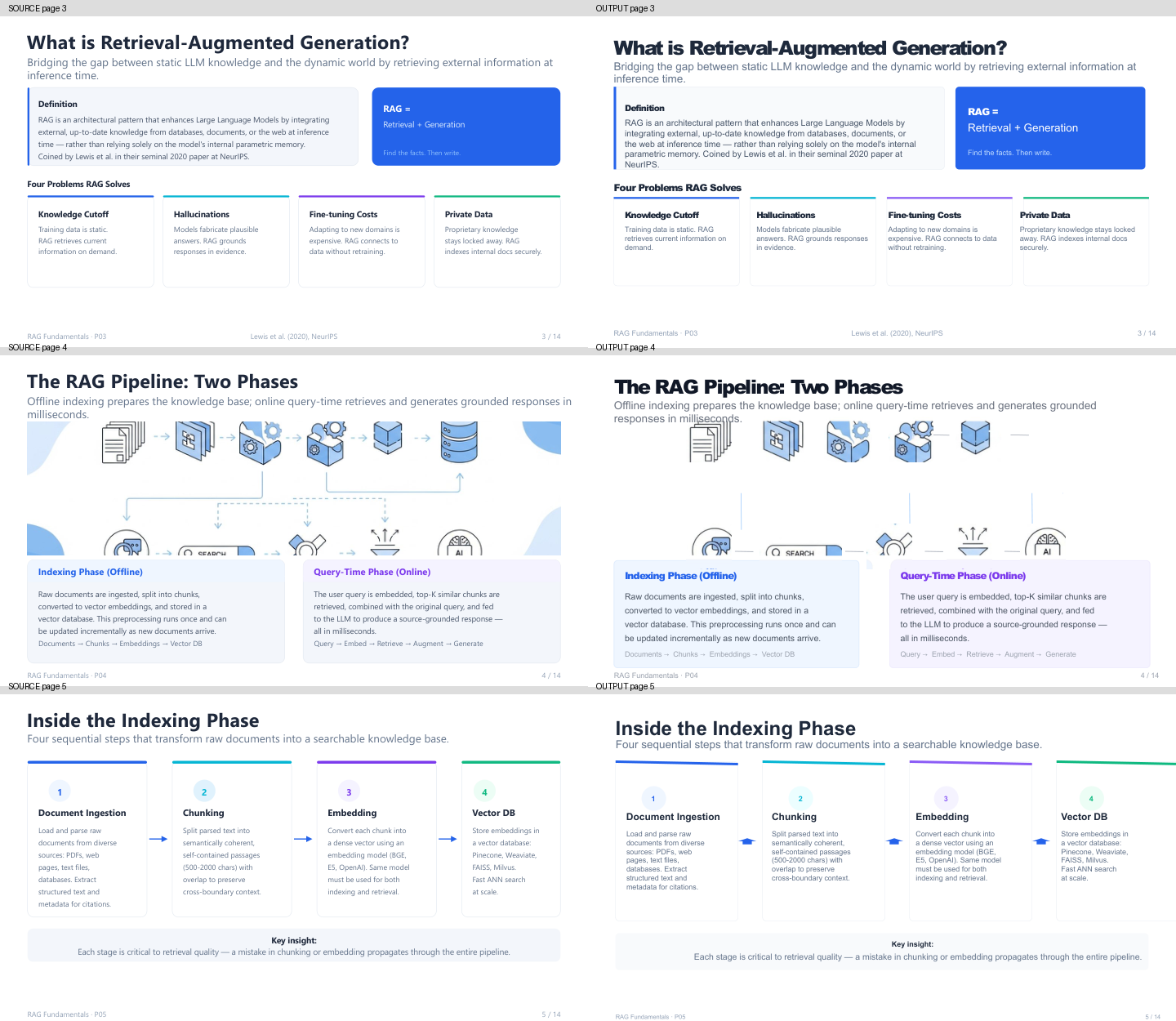
The RAG example includes the source PDF, output PPTX and side-by-side previews of pages 3–5. Both files contain 14 pages or slides. Native text objects exist on every output slide, but this does not establish that every graphic is editable.
The source PDF is on the left. The right-hand previews are local LibreOffice renders of the output PPTX. Page 4 has missing or changed icons and connectors; pages 3–5 also show differences in font size, wrapping and spacing. The comparison has not been retouched to conceal these differences.
Download actions: Source PDF; Output PPTX.
Frequently asked questions
Can I try a scanned PDF? Reconstruction uses the visible page content, not only an existing PDF text layer. Blurred pages, small text and complex layouts can still reduce accuracy.
Will every slide just be a screenshot? The normal process attempts editable text and shapes. Complex regions may remain images, and unsuccessful pages may use an original-page image fallback. Review the task notices and downloaded file.
Do I need a template? No. The source PDF provides the visual reference. Use presentation generation when you want new content organized around a brief.
How does this differ from screenshot recreation? Both use the recreation workflow. This page focuses on a single PDF, its page sequence and a combined PPTX; the screenshot feature accepts image inputs.