Turn a topic and reference material into an editable presentation
A client proposal rarely starts with a blank page. You may already have requirements, product documents and notes, but still need to organize them into a presentation. Use Deck Terminator to describe the brief, add reference material and choose a company template. Review the proposal, generate the deck and make your final changes in PowerPoint.
Define the message before generating the slides
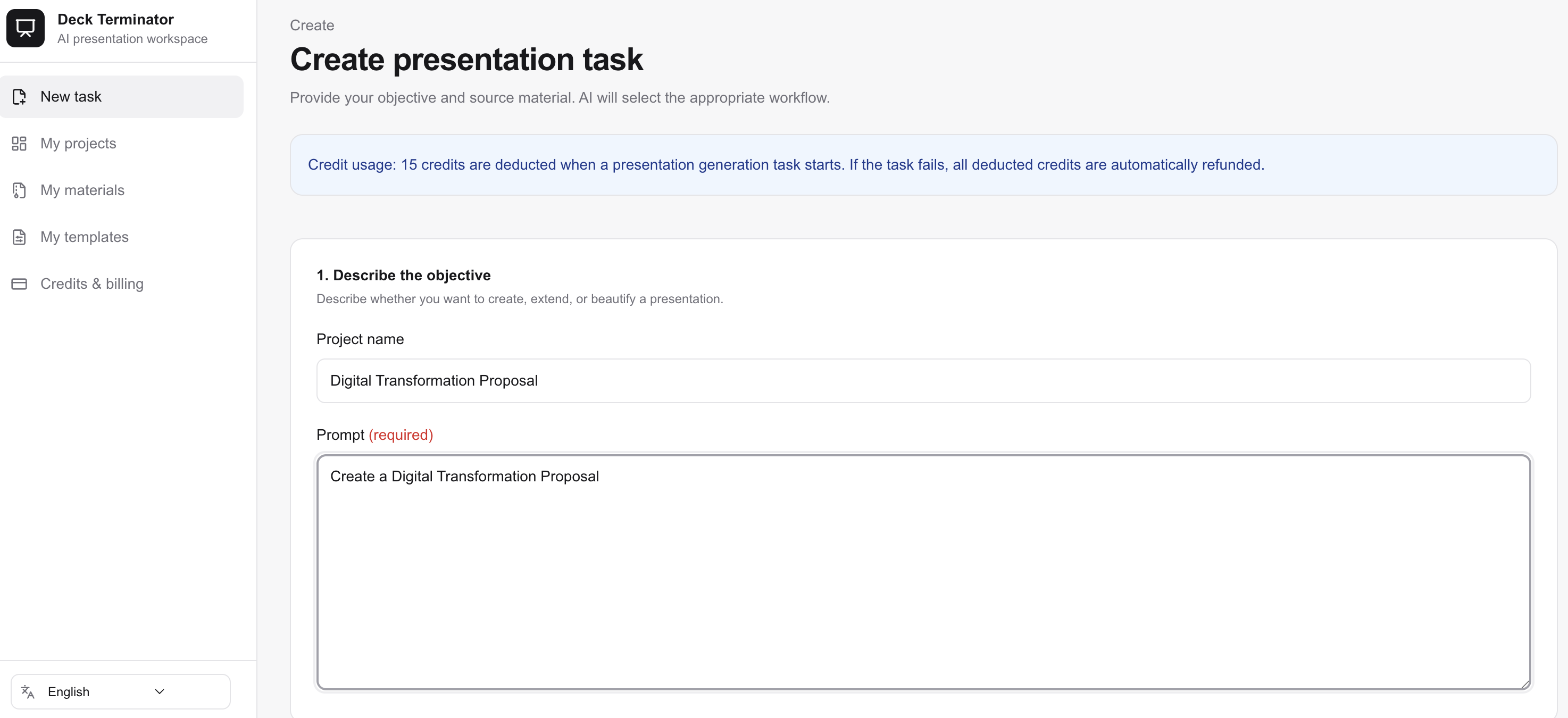
Specify the audience, purpose, required topics and output language. Add source material where available. For a branded deck, prepare a template using the page-role markers described in the upload instructions.
A template supplies reusable page structure; it does not replace a clear brief. Provide supporting material for prices, performance figures and customer commitments, then verify those claims in the finished deck.
From brief to downloadable PPTX
- Enter your topic and requirements. Add references and a template if needed.
- Review the confirmation proposal. Accept suggestions or provide revisions.
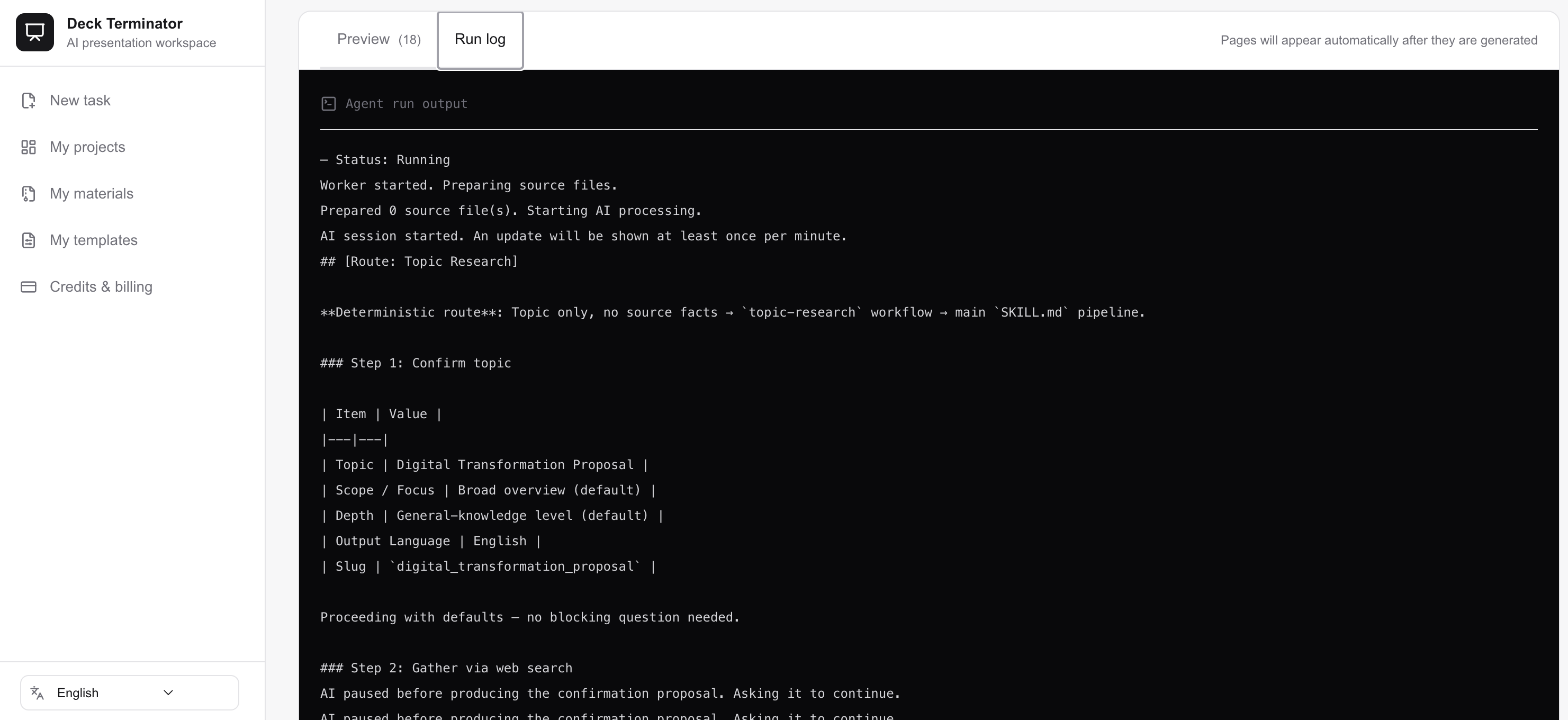
- Follow page generation in the preview. Intermediate previews may not include the final template and all post-processing.
- Download the PPTX. Check the wording, data, fonts and layout in PowerPoint before sharing it.
Inspect a real generated proposal
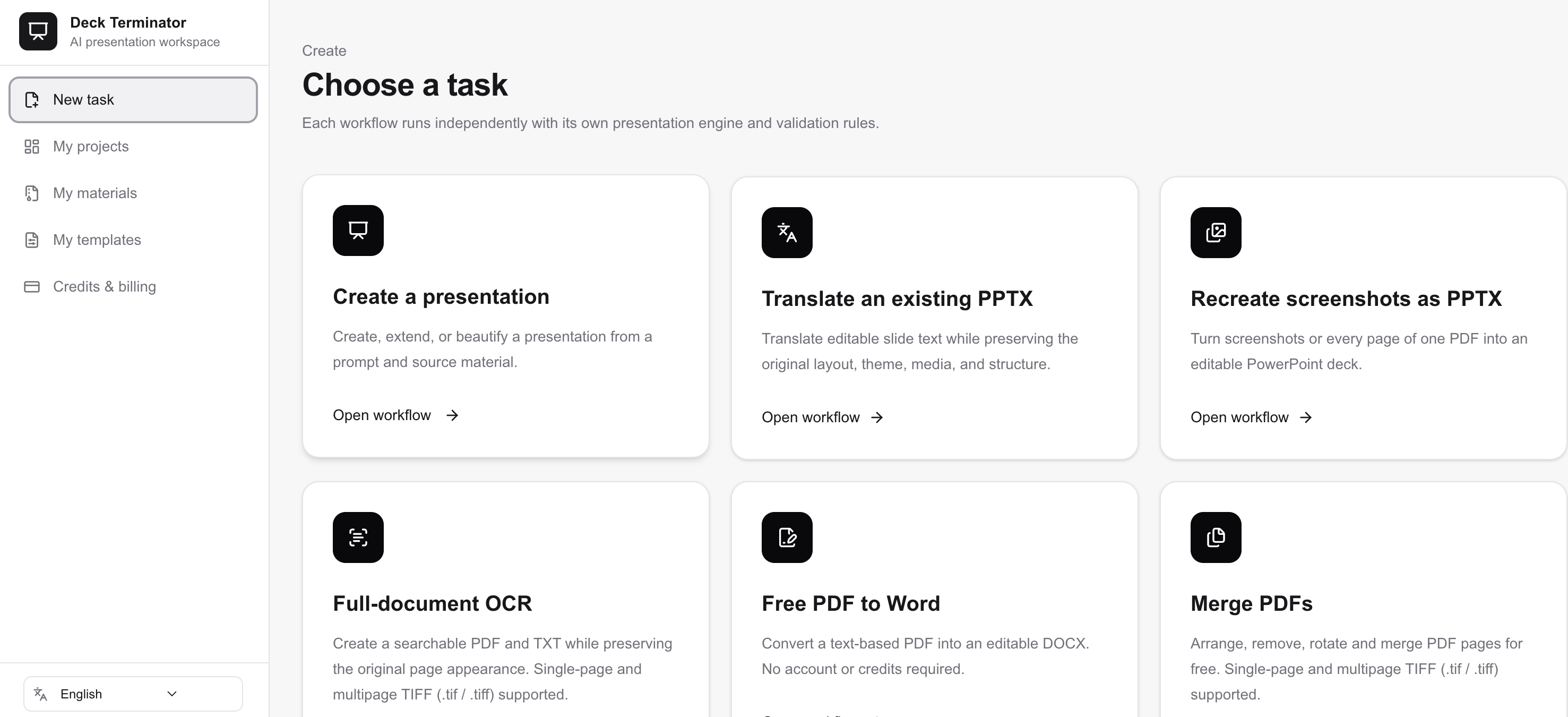
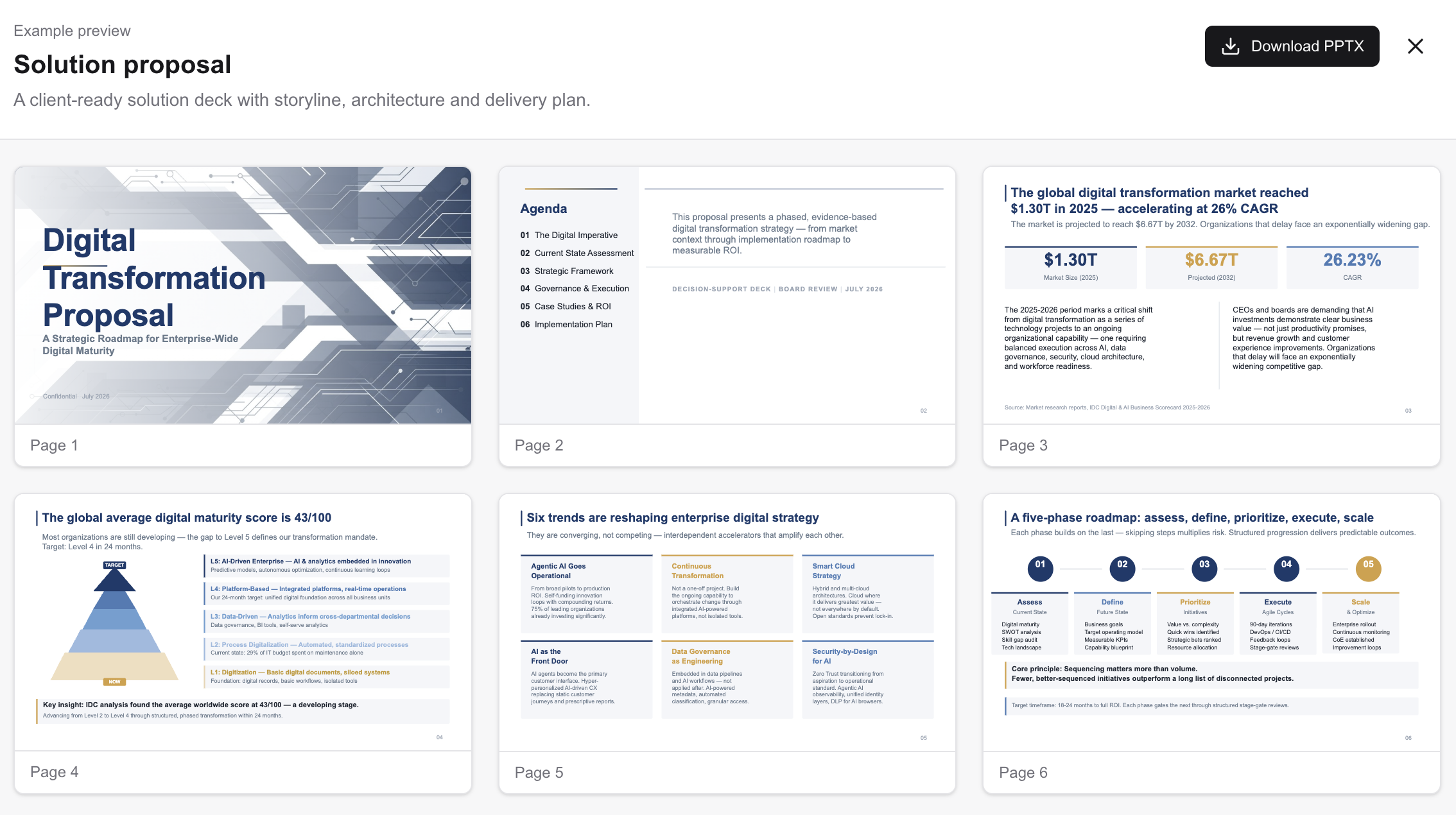
The Digital Transformation Proposal example includes the task entry, input and processing screens, plus a finished example preview of the same presentation. Download the PPTX to inspect its text and objects beyond the thumbnails.
Caption: The finished deck is shown in the homepage Example preview, not the job-completion screen. The example content is in English.
What can you edit afterwards?
The output is a PPTX for further text and object editing. Generated images remain images; their internal details are not necessarily separate editable objects. Long titles, tables and dense pages may need manual adjustment, particularly when fonts change.
Questions before you start
Can I start without reference files? Yes. Start with a topic. For business-specific facts, provide reliable supporting material and verify the generated claims.
Can I use a company template? Yes. Follow the template role-marker instructions in the upload area so that cover, content and closing pages are identified correctly.
How is this different from PDF to PPTX? Generation organizes a new presentation around your brief. Use PDF to PPTX to reconstruct existing PDF pages, or screenshot recreation for image inputs.
Is the deck ready to send without review? Review important facts, wording and layout first. The editable output supports your final revision; it is not a promise of review-free delivery.